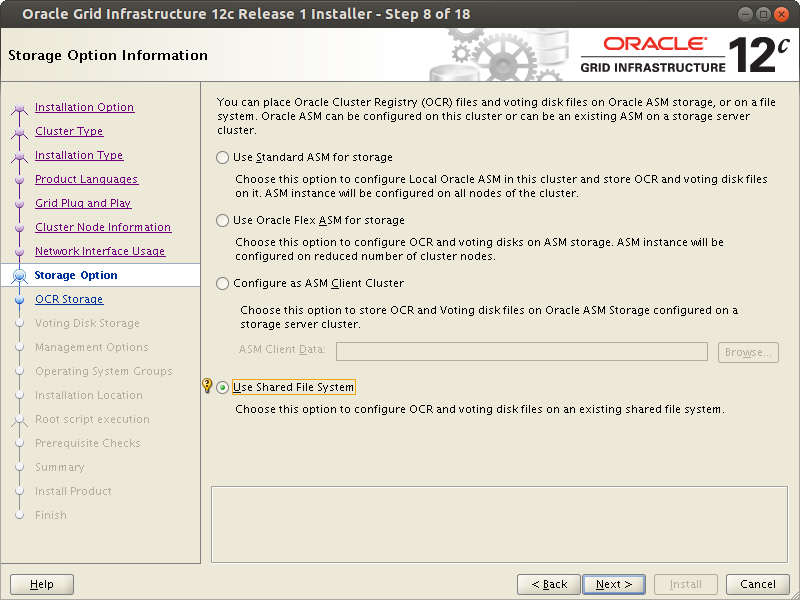
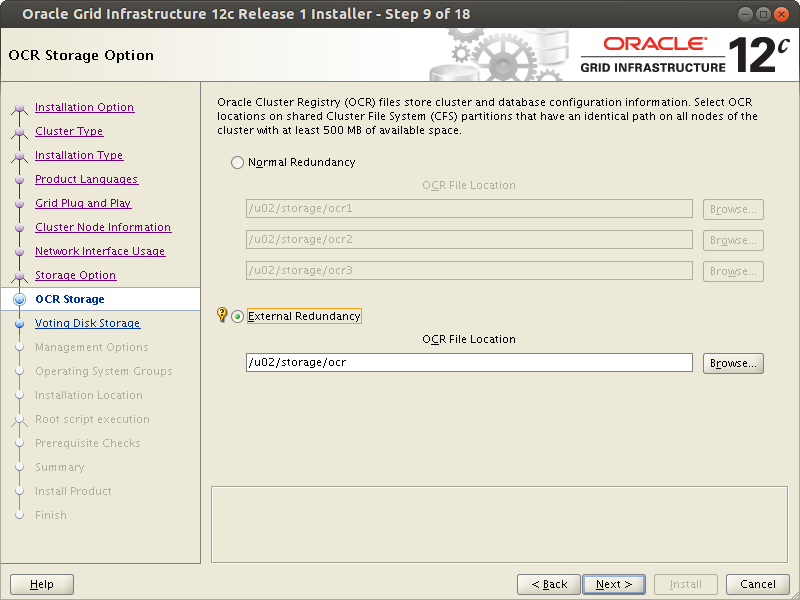
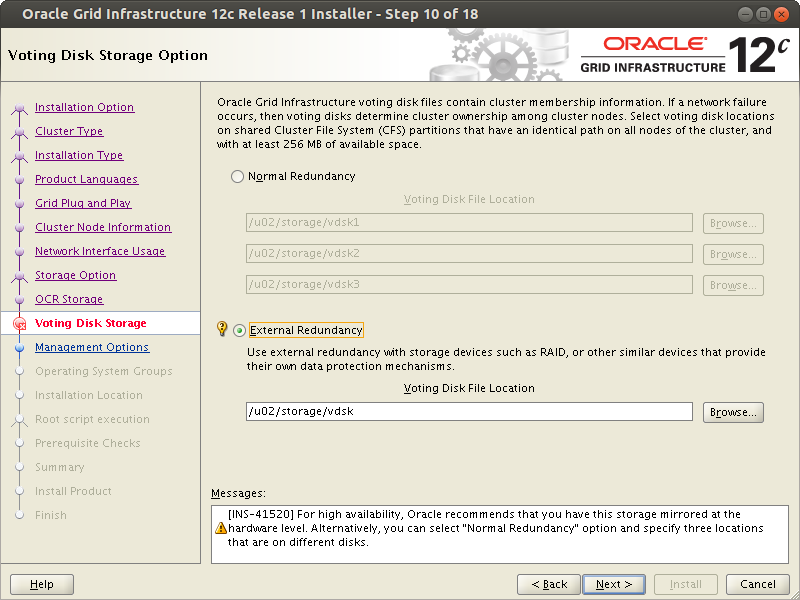
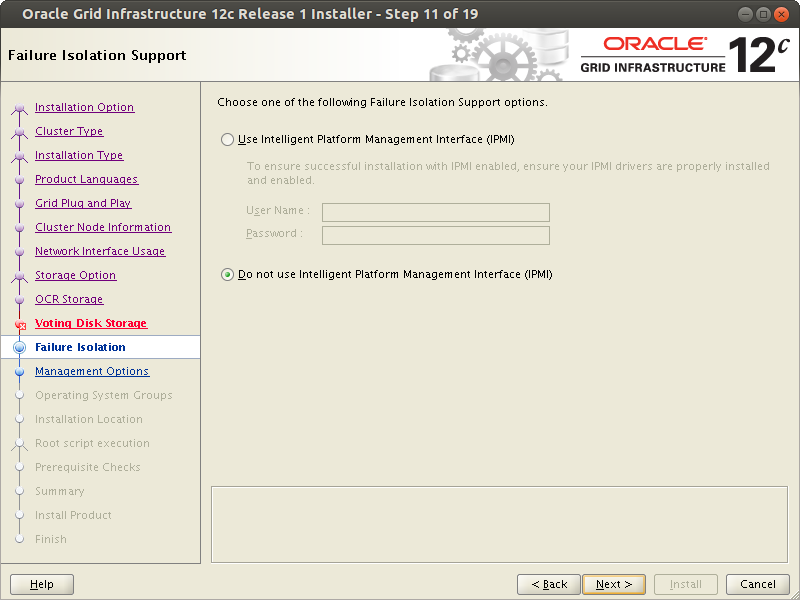
[Oracle RAC 12.1 SHARED FILE SYSTEM Installation]: Grid Installation


Server: rac1

Log in as the user who will perform the database installation.

# su - oracle12


$ cd /tmp/oracle/12.1/grid

To avoid typing the grid installation path in the window, run the command

$ export ORACLE_HOME=/u01/app/grid/12.1

Set the DISPLAY system variable as follows.

$ export DISPLAY=192.168.1.5:0.0

In this case 192.168.1.5 is the ip address of the computer from which the installation process is being controlled.


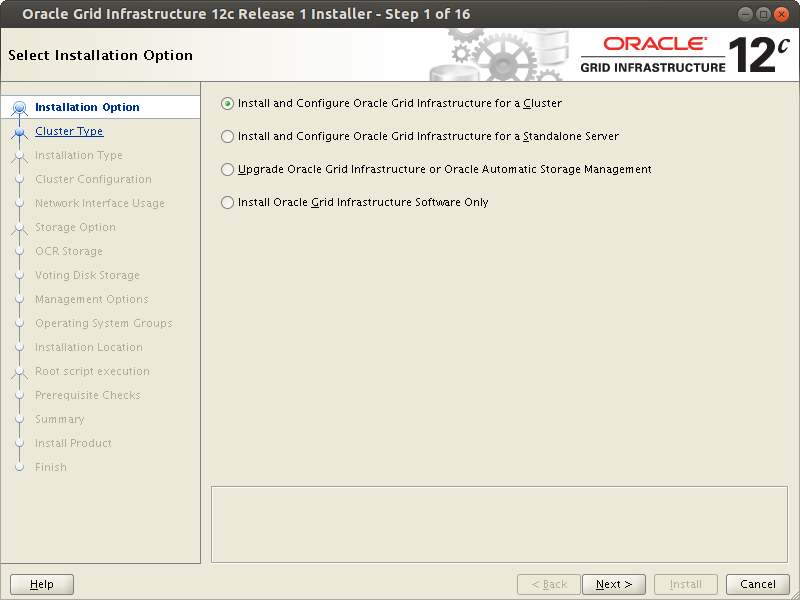
$ ./runInstaller

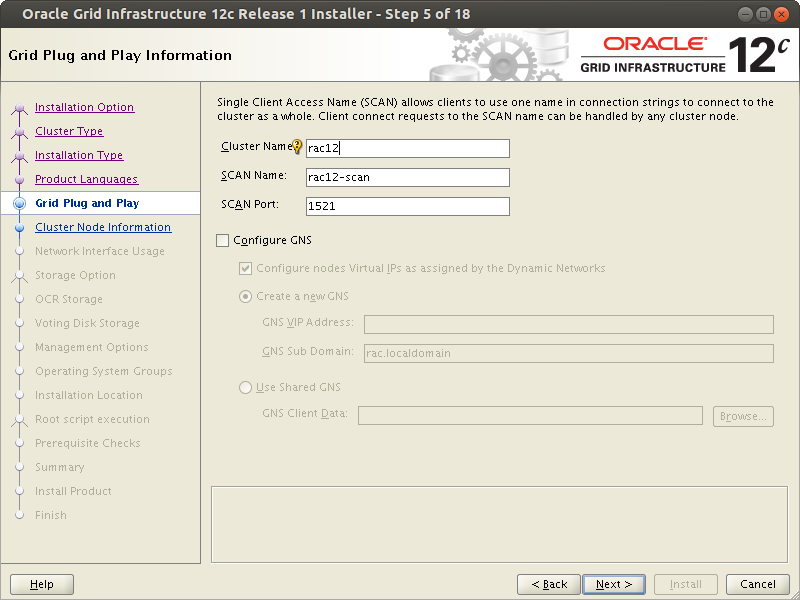
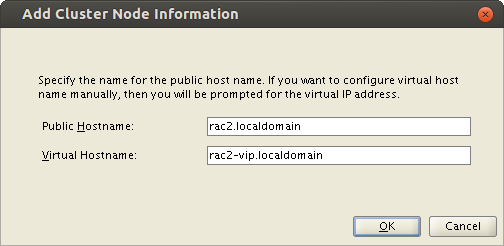
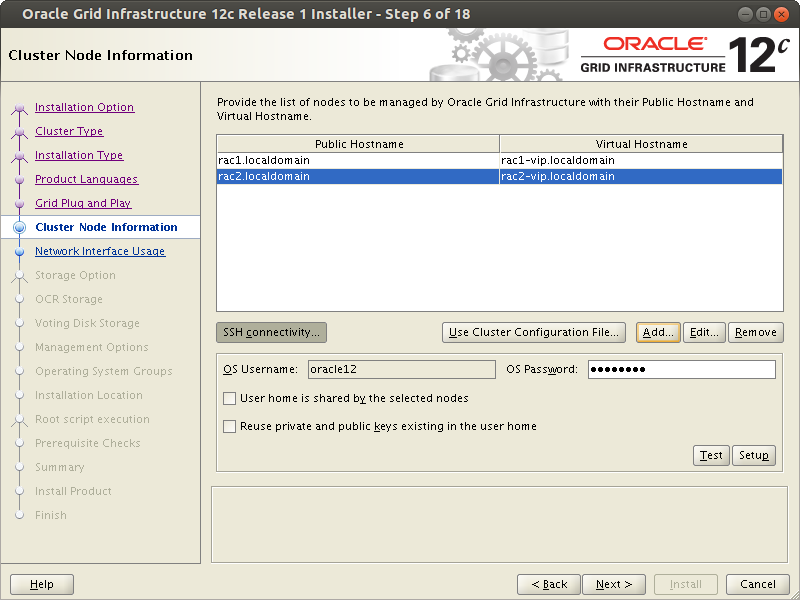
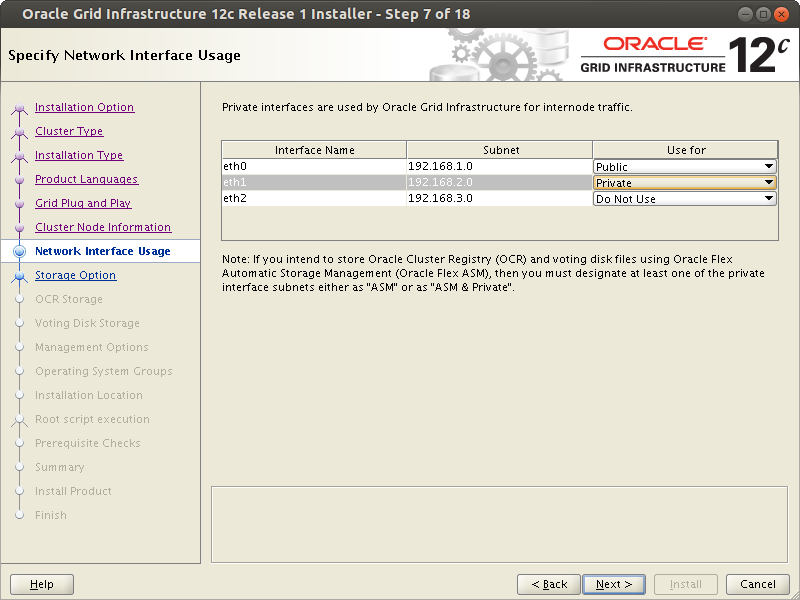
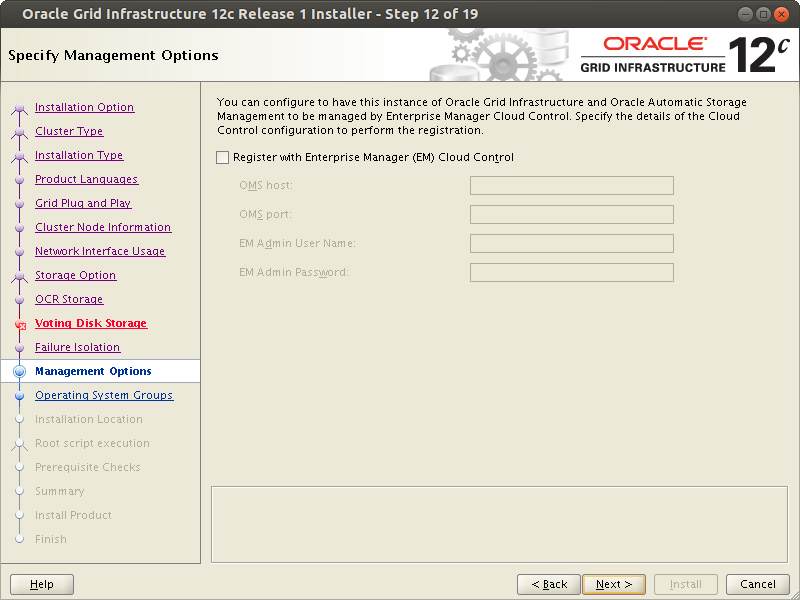
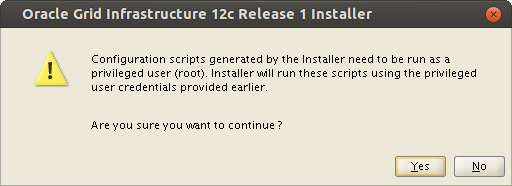
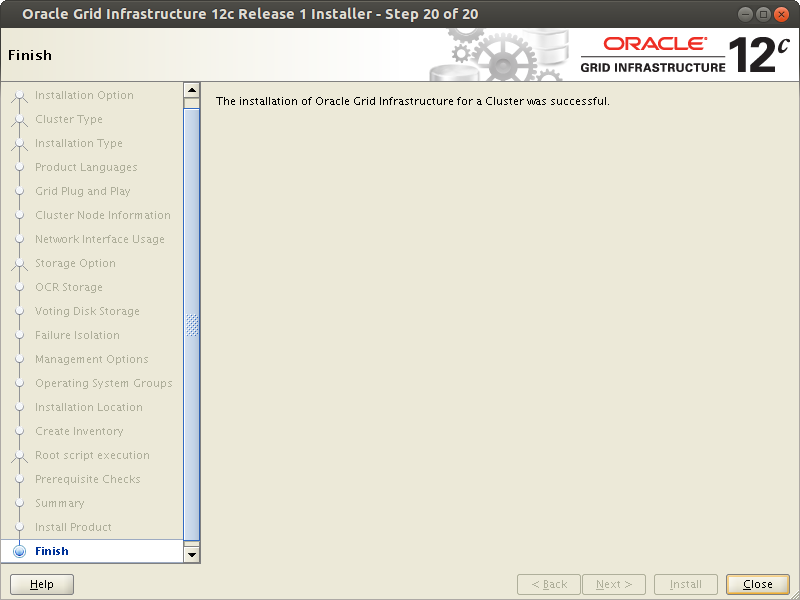
Oracle RAC installation Shared File System

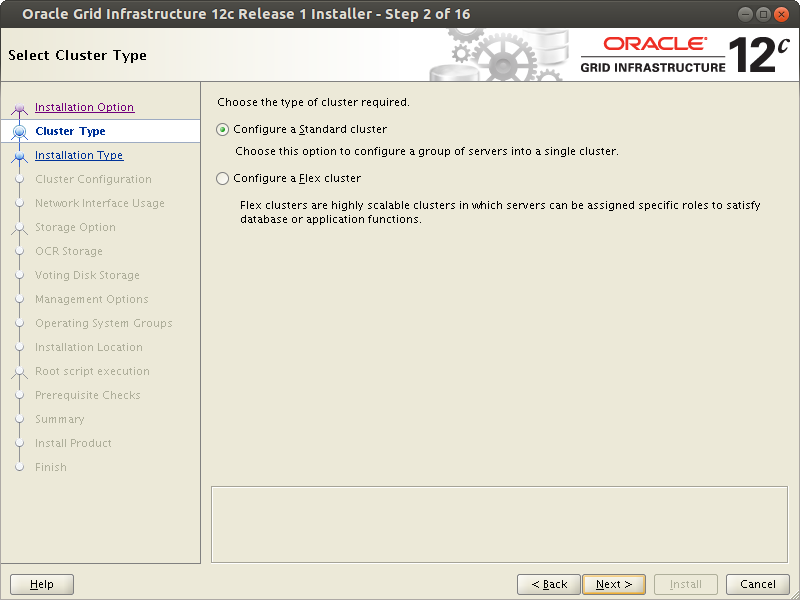
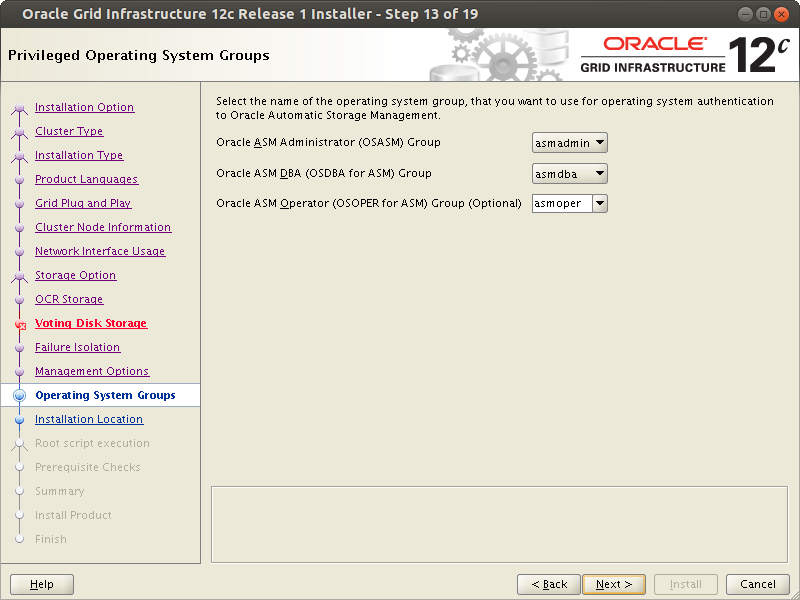
Oracle RAC installation Shared File System

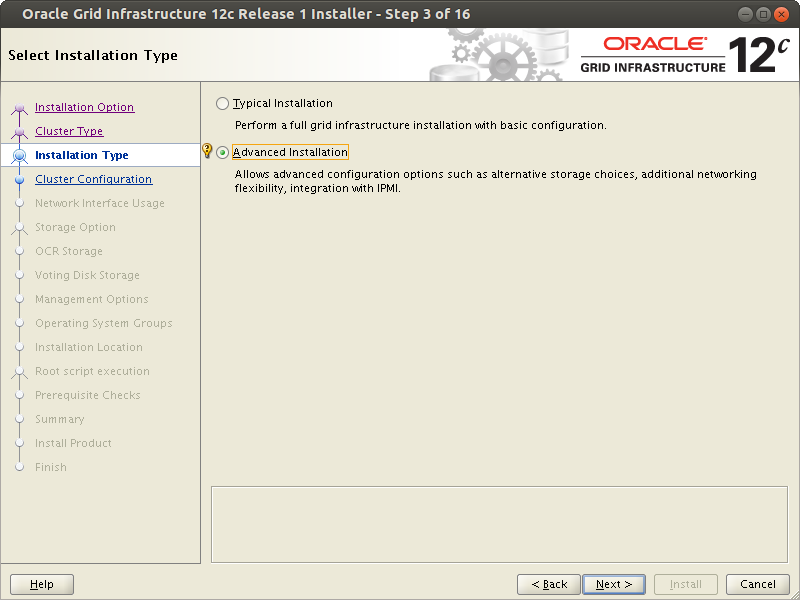
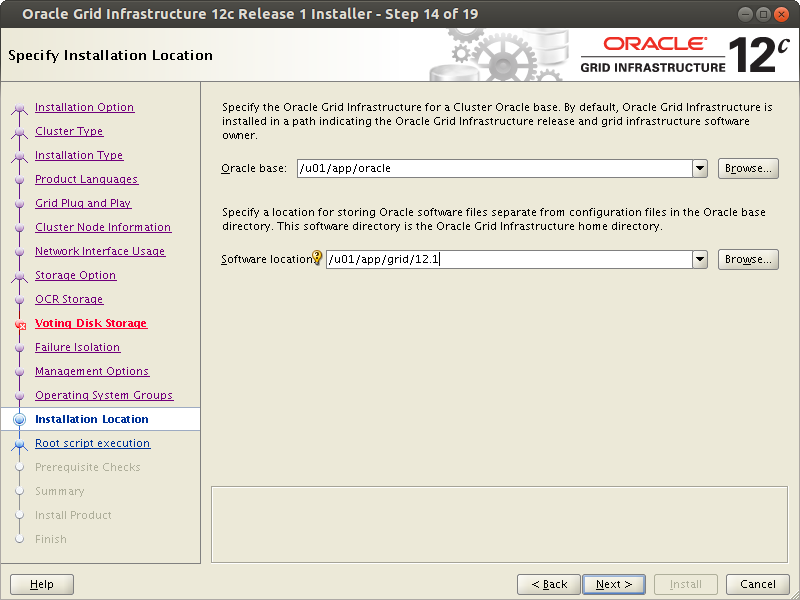
Oracle RAC installation Shared File System

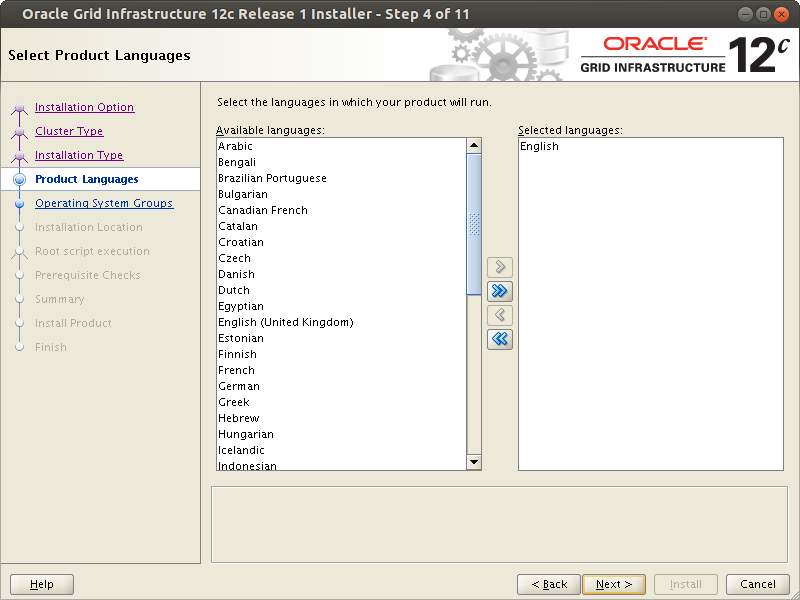
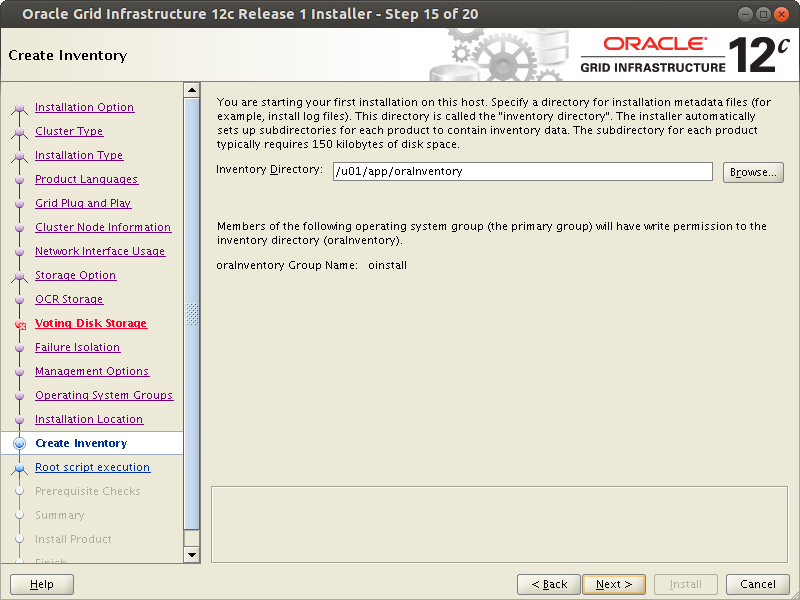
Oracle RAC installation Shared File System

Oracle RAC installation Shared File System

Oracle RAC installation Shared File System

Oracle RAC installation Shared File System

Oracle RAC installation Shared File System

Oracle RAC installation Shared File System

Oracle RAC installation Shared File System

Oracle RAC installation Shared File System

Oracle RAC installation Shared File System

Oracle RAC installation Shared File System

Oracle RAC installation Shared File System

Oracle RAC installation Shared File System

Oracle RAC installation Shared File System

Oracle RAC installation Shared File System

Oracle RAC installation Shared File System

Oracle RAC installation Shared File System

Oracle RAC installation Shared File System

Oracle RAC installation Shared File System

Oracle RAC installation Shared File System

Oracle RAC installation Shared File System